A private dashcam app: no cloud, no account
Most dashcam apps want an account and a cloud backup. RideLock does the opposite: it has no server and no account system, and every recording stays on your phone. This page spells out exactly what that means.
What RideLock stores, and where
- Video. Recorded to the app's own storage on your phone and never uploaded.
- Location (optional). If you turn on the GPS trip log, RideLock logs a track for each ride to show average speed and a route summary. It stays on the phone. Recording works without location.
- Motion sensor (Pro only). While RideLock Pro is recording, the accelerometer is used to detect a hard brake or impact and lock that clip. Samples are not saved and never leave the phone. Free recording does not use it.
- Purchase status. RideLock only records on the phone whether Pro is active, pending or inactive. Google Play handles payment, renewal and cancellation, and RideLock never sees your payment details.
What is never sent
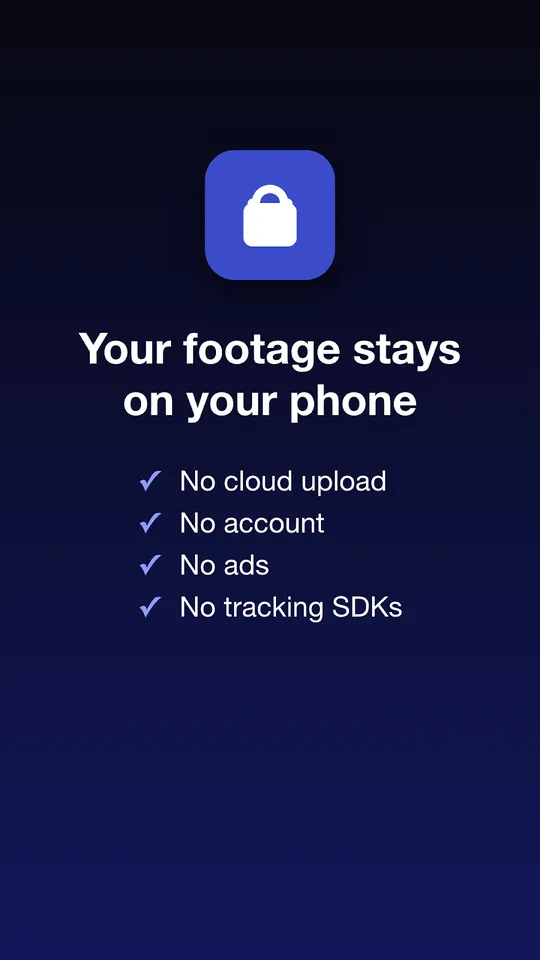
Nothing you record is transmitted. There is no cloud upload, no account, no ads and no analytics in the app. RideLock does not share data with third parties, because nothing leaves the device except through your own explicit share action.
The only network activity
The only network requests RideLock makes are the ones Google Play itself needs: to process a purchase, or to show its in-app review sheet. RideLock does not receive the rating or any text from that sheet. Recording needs no internet connection at all.
How to check any dashcam app's "no cloud" claim
"No cloud" is easy to print on a store page, so it is worth checking for any app, including this one. Here is a quick way:
- Read the Data safety section on Google Play. It shows what the developer says the app collects and shares. RideLock's listing declares no data collected and no data shared with third parties; this is the developer's own declaration.
- Look for a sign-in. An app that needs an account usually has a server behind it. RideLock does not require or support any account.
- Search the privacy policy for words like upload, sync, backup and analytics and see what each one covers. RideLock's privacy policy says the only network use is Google Play processing a purchase or showing its review sheet.
- Check whether cloud backup is a setting, a paid feature or the default. If a dashcam app offers cloud backup at all, ask what is uploaded and when.
- Try airplane mode. Turn on airplane mode and record a short clip. An app that truly needs no internet will record normally. RideLock needs no internet connection to record.
The trade-off: no cloud means no backup
Because nothing is uploaded, RideLock cannot restore a clip if the phone is lost, stolen, damaged or reset. That is the price of keeping footage private. If a clip matters, for example after an incident or a dispute, share it straight away to an app or a person you trust, or save it somewhere you control.
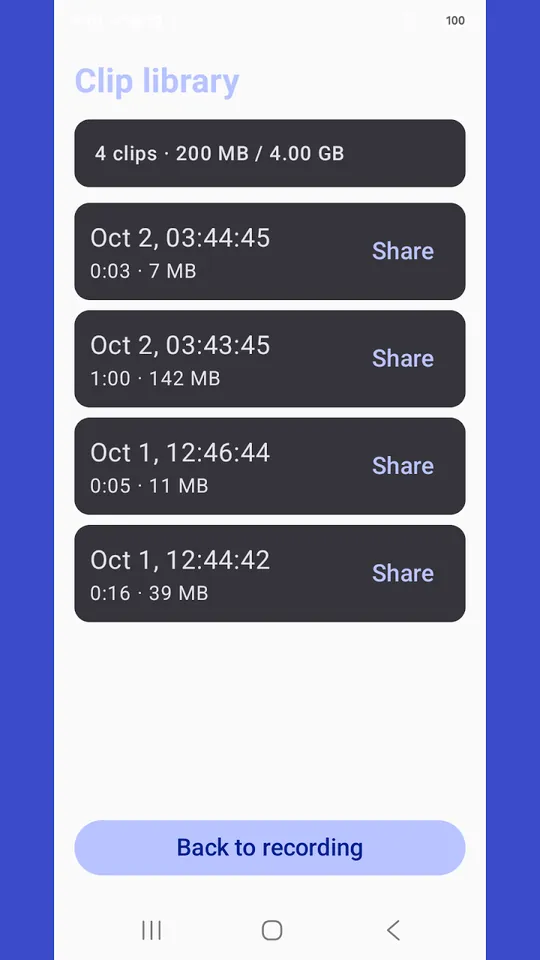
When you share, RideLock creates a copy and opens Android's share sheet, and that exported copy is deleted automatically after 24 hours. The original stays in the clip library until loop recording needs the space, so share or save important clips before the storage limit overwrites them.
Recording other people
Dashcam footage can show other riders, drivers, pedestrians and number plates. RideLock does not identify or process anyone's likeness or plate; it only records what the camera sees. You are responsible for how you share or publish footage and for following local laws on recording.
Sharing a clip
When you tap Share, RideLock creates a copy with an optional date, time and speed overlay (a Pro feature) and opens Android's share sheet. You choose which app receives it. The exported copy is deleted automatically after 24 hours.
This website versus the app
The app has no analytics. This website, ridelock.app, uses Cloudflare Web Analytics to count page views, countries and referrers in aggregate, and stores one functional cookie, ridelock_lang, to remember your language choice. The full wording is in the privacy policy.
Frequently asked questions
Does RideLock upload my videos to the cloud?
No. RideLock has no server and no account system. Every recording stays on your phone.
Does RideLock require an account or sign-in?
No. RideLock does not require or support any account or sign-in.
Does RideLock work without an internet connection?
Yes. It needs no internet connection to record.
Where are my RideLock videos stored?
Only on your phone, in the app's own storage. Nothing is uploaded, and there is no RideLock server to hold a copy.
Can I back up my clips?
RideLock has no cloud backup by design. To keep a clip, share it to an app or contact you trust, or save it from Android's share sheet. The exported copy RideLock makes is deleted after 24 hours.
Does RideLock share data with anyone?
No. RideLock does not share data with third parties, because nothing leaves the device except through your own share action. The Google Play listing's Data safety section declares no data shared with third parties.
Is there any network use at all?
Only what Google Play itself needs: to process a purchase or to show its in-app review sheet. Recording needs no internet connection.
More guides
- Use an old Android phone as a motorcycle dashcam
- Dashcam app for Grab, LINE MAN, foodpanda and delivery riders
- Pricing: what is free and what is Pro